Introduction
Fisk AI turns any fisk-based command-line application into an LLM agent. It introspects the app’s command tree, exposes the allowed commands as tools, and runs an agent loop against the Anthropic API that calls those commands to satisfy a prompt.
No glue code. If your CLI is built with Fisk, Fisk AI can turn it into a purpose-built agentic harness.
The main focus is on safety and determinism. This harness sets itself apart by what it leaves out rather than by a long list of features.
It is designed in particular to complement Choria App Builder. App Builder lets you define a command line application declaratively in YAML, and because it is built on fisk, any App Builder application can be introspected and driven by fisk-ai. Together they let you define a strict, purpose-built set of tools in a YAML file and expose exactly those to an agent, without writing or compiling any code: App Builder describes the commands, fisk-ai’s configuration selects which of them the agent may use and how it should behave.
- Small and FocusedDeliberately restricted AI Harness to create safe, deterministic, AI Agents for Operations use
- Safety firstAgents can only interact with the tools provided. Using tags in the tool the Harness provides Human-in-the-Loop safety guardrails.
- Utilities from Prose
Supports creating Shell hosted utilities that have Agentic abilities and zero code - describe a flow, supply the tools and have it dynamically react
Built-in tools for HITL and Memory complement those from Fisk.
- Supports Local ModelsHost local models using ollama, llama.cpp, LM Studio and any other provider that supports the Anthropic API.
- Single binary RAG
Fisk AI includes a zero dependency, single binary, RAG system to create local knowledge bases for your Markdown data.
Zero to full-text and vector search in under 1 minute for 1000s of Markdown files.
- Loves App Builder
Fisk AI is tailor-made to create AI Agents using just YAML files and utilities you already have by targeting App Builder as tool provider
App Builder can create tools with strict guardrails, input validation and integration with secret providers like 1Password.
Deterministic AI Harnesses are only a few YAML files away.
- Multiple UI Surface
Any Agent can be accessed via Shell, TUI, Slack or via our durable execution framework Async Jobs.
We have a Messaging orientated A2A protocol accessible via NATS with more planned in the future.
Use cases
I’ve used this with success in numerous problem areas:
- Pull request review - do not want to give the LLM access to
ghcommand as it will try to do a lot of things it is not supposed to. So I wrapghwith App Builder giving it commands such as “abt pr triage” which will apply the correct label - Built a DMARC email parsing system, do not want to give it shell access, turned a set of SKILLs into a standalone agent with just the tools it needs, no more randomly calling whatever the LLM wants. Once while performing this task Claude tried Bashisms on my Zsh and did
rm -rf /, now that is impossible - Created various MCP servers to plug into Claude Code with strict control over how the tools are called
- Tool to interpret GitHub repository stats - being able to just ask questions to interpret the data without fear of complex Bash callouts really helps
- Drives complex testing scenarios against an API-driven Cluster Manager
- Local knowledge base indexing Open Source project websites for local RAG based discussions
In all these cases the best solution is to apply understanding and language interpretation to the problem, but doing so safely and repeatedly from within Claude Code is difficult because that favors running Bash commands - and not always the same ones to solve the same problem.
Wrapping CLI tools like gh using App Builder and then only giving it these deterministic tools means we can get much better outcomes from LLM based utilities.
Shell example
Here we use the nats command line utility to create a Stream Management Agent.
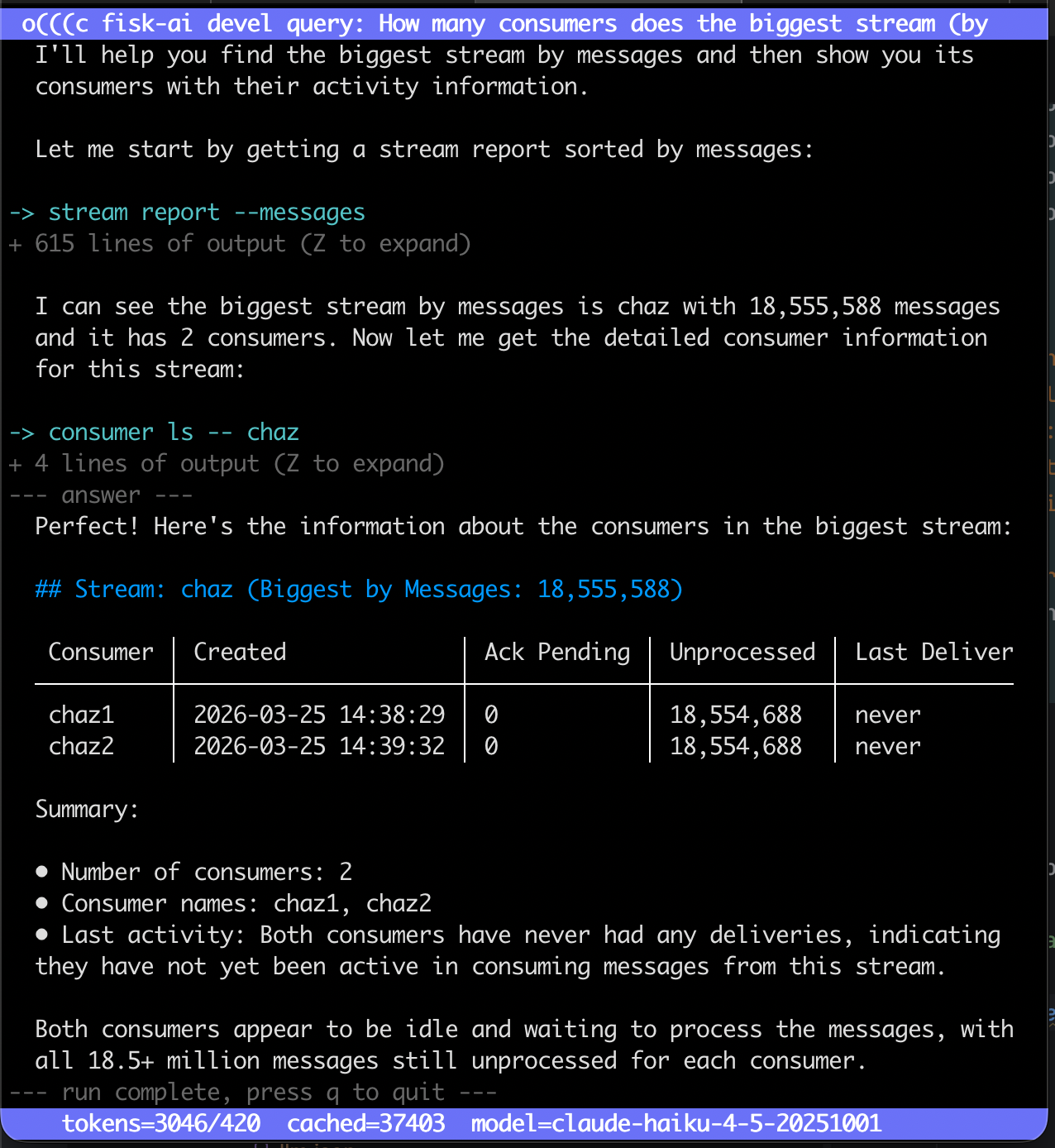
Above we create an agent with various Stream and Consumer management utilities as tools, here we use it on the CLI:
We can now prompt this agent knowing it can only interact with these nats commands as tools.
How many consumers does the biggest stream (by messages) have? Show their names and when last they had activity